
WooCommerce and WordPress are both free, open source software. While this can represent considerable savings, when it comes to WooCommerce pricing, there are still some costs involved in launching a new store.
One of the reasons many people choose WooCommerce is because, like the software itself, costs are customizable — you have a lot more control over what you spend than with most other ecommerce platforms.
WooCommerce setup costs: hosting and domain fees
Hosting providers store your website files and make them viewable when visitors type your URL into their browser. So, the very first thing you’ll need to do is choose a host for your store and buy a plan.
The simplest and most value-packed option is Woo Express. Offered directly by WooCommerce, it was tailored specifically to the needs of online stores. That means that it provides ultimate compatibility with the tools you want to use, and enhanced performance, security, and more.
In addition to website hosting, Woo Express includes features like:
- AI-assisted product descriptions
- Automated backups
- Built-in payment processing
- Advanced malware and security scans
- Advertising tools
- Live shipping rates and order tracking
- Automated tax calculation
- Priority live chat and email support
Many of those features would normally incur additional expenses. So if you’re looking for something that helps you get started right out of the gate, with everything you need to run your online store, Woo Express is an excellent option at $25/month (billed annually).
But the beauty of WordPress and WooCommerce are their flexibility. So you have lots of hosting providers that you can choose from.
WooCommerce and WordPress both recommend hosts like SiteGround, Bluehost, and Pressable. These hosts are great to start with because they’ve invested in the WordPress ecosystem and are knowledgeable about options unique to WooCommerce stores.
Consider the following when choosing a hosting service:
- How many sites are on your server? With shared hosting plans, resources are distributed between many different sites all using the same server. This can slow things down, especially during peak times. If this is a concern for you, you may want to choose a VPS or cloud hosting plan.
- Is there good customer service? If you ever have problems, are there customer service reps available 24/7 to help? Consider available support methods (phone call, live chat, forums, etc.) and whether they charge an additional support fee.
- What WooCommerce security features are provided? Look for things like automatic backups, malware prevention, SSL certificates, and email spam filters.
- What is the server uptime? Uptime is the percentage of time that servers (and your WordPress website!) are running. You want as high a percentage as possible when choosing a hosting service.
- How does the host perform on speed? A fast site starts with your host. Read customer reviews to learn from their experiences and keep an eye out for SSD servers and high levels of resource allocation (like RAM and CPU).
- Can you easily scale? As your site grows, make sure that you can upgrade your hosting plan without needing to migrate.
Read more about WooCommerce hosting options.
With WooCommerce, you have a lot more control over what you spend, and when you invest it, than with most other ecommerce platforms.
Hosting can be as little as $3.99 per month and as high as $5,000. Most hosts offer an initial free or low-cost period, with discounts when you buy hosting services for two or more years.
The next cost is registering a domain, or site name. This is what visitors will type into their browser to find your website.
Like hosting, domain registration often comes at an inexpensive introductory price that increases over time, with discounts when you buy multiple years of service. Expect to pay about $15 per year for each domain name you use. However, some high-value or privately-held domain names can cost significantly more.
Many hosts offer free domain searches, so you can find out early on if the domain name you want is available, has been taken, or is for sale. You can purchase a domain name from your host, or from domain registrars like WordPress.com.
Hosting costs: $120 per year (on average, but varies widely)
Domain registration: $15 on average, but could be much more expensive if purchasing a domain from a private seller
Ecommerce and WooCommerce themes: to pay or not to pay?
Now we’re getting into optional costs. The first one of which will be your ecommerce website theme.
If you’ve used WordPress in the past, you know there are thousands of free themes and paid themes, many of which have been optimized for WooCommerce.
For example, you can start with the free Twenty Twenty-Four theme, which is a block theme. This means that you can drag and drop elements (called blocks) to design pages, posts, headers, footers, your Checkout and Cart pages, and more.

If you’re leaning towards a free theme, choose one that’s well-maintained and created by a developer with WooCommerce experience. Look for signs that it’s been updated recently and is compatible with the latest version of WooCommerce. The WooCommerce marketplace and WordPress.org theme repository are full of great options that have been vetted.
Any WordPress block theme, in fact, will work well with WooCommerce. And WooCommerce will provide all of the ecommerce blocks you might need.
There are, of course, good reasons to get a paid WooCommerce theme instead of using a free one:
- Free themes tend to look similar, so your site won’t stand out as much.
- Free themes have limited functionality.
- Paid themes provide customer service; at best, free ones offer a Q&A board.
Paid WordPress and WooCommerce themes cost anywhere from $20 to $100 per year.
Theme cost: $0 — 100 per year
Store management costs
There are some essential tools that are needed to manage an online store, like shipping and payment gateways, each of which involve their own expenses.
Shipping
Out of the box, WooCommerce provides options for flat rate shipping, free shipping, or local pickup. For many small businesses, these are more than enough.
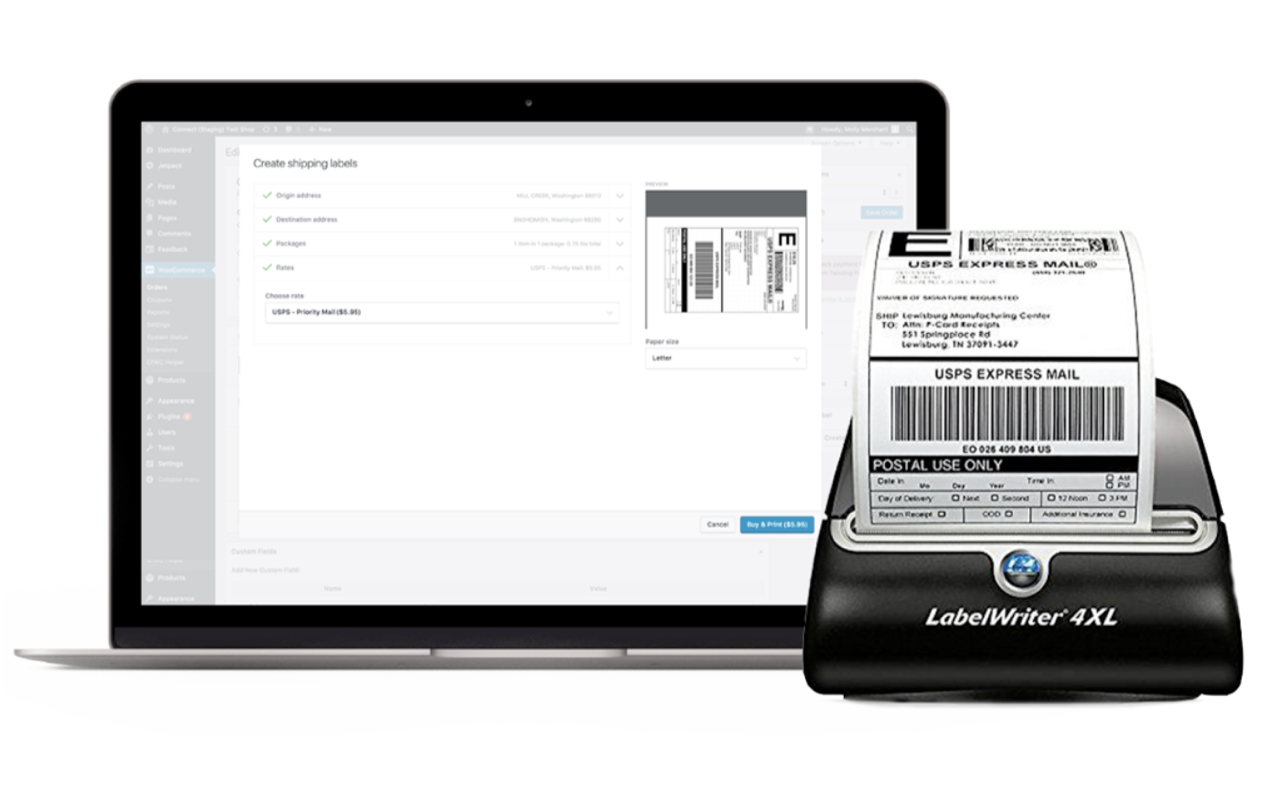
The WooCommerce Shipping extension is a free option that connects to USPS and DHL, and allows you to print shipping labels right from your WordPress dashboard while saving money.
If you do need more advanced options, choose between shipping extensions like Table Rate Shipping ($119/yr.), ShipStation for WooCommerce (free extension, but requires a ShipStation plan starting at $9.99/mo.), and Distance Rate Shipping ($99/yr.).
See a full list of available shipping extensions.
Payment gateways
Payment gateways allow you to safely and securely accept payments online. Each one varies in cost and structure, and WooCommerce integrates with all the major options.
A simple but powerful option is to use WooPayments, which allows you to manage payments directly in your WooCommerce Dashboard.
WooPayments has no setup charge and no monthly fees. You pay 2.9% + $0.30 for each transaction made with U.S.-issued credit or debit cards. There’s an additional 1% fee for cards issued outside of the U.S.
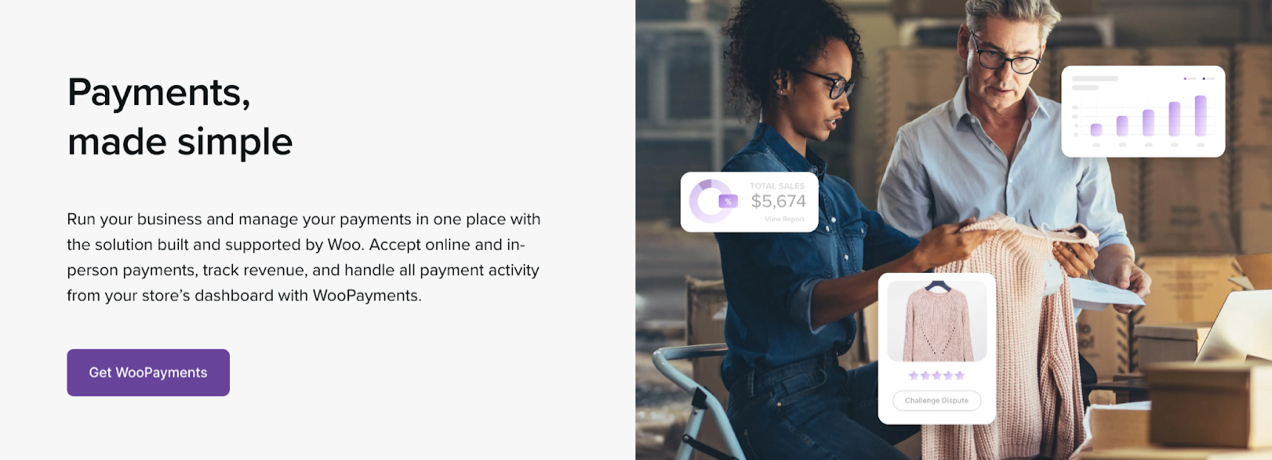
As a bonus, WooPayments improves conversions by keeping customers on-site while they check out, and enabling you to offer a variety of payment methods, from credit and debit cards to digital wallets and contactless payments.
Eligible merchants can also benefit from Instant Deposits using WooPayments. Instead of waiting the standard two-day period to access your funds, you can request an instant deposit and receive the money within 30 minutes — including nights, weekends, and holidays.
For more information, see the FAQ on deposit schedules.
Other options include Stripe (2.9% and $0.30 per transaction), PayPal (2.9% and $0.49 per transaction), and Authorize.net (2.9% and $0.30 per transaction + $25/month.)
View all payment gateway options and learn more about how to choose a payment gateway.
Shipping costs: $0 — $119 per year, depending on any additional tools
Payment gateway costs: 2.9% + $0.30 per sale on average
WooCommerce running costs: communications and security
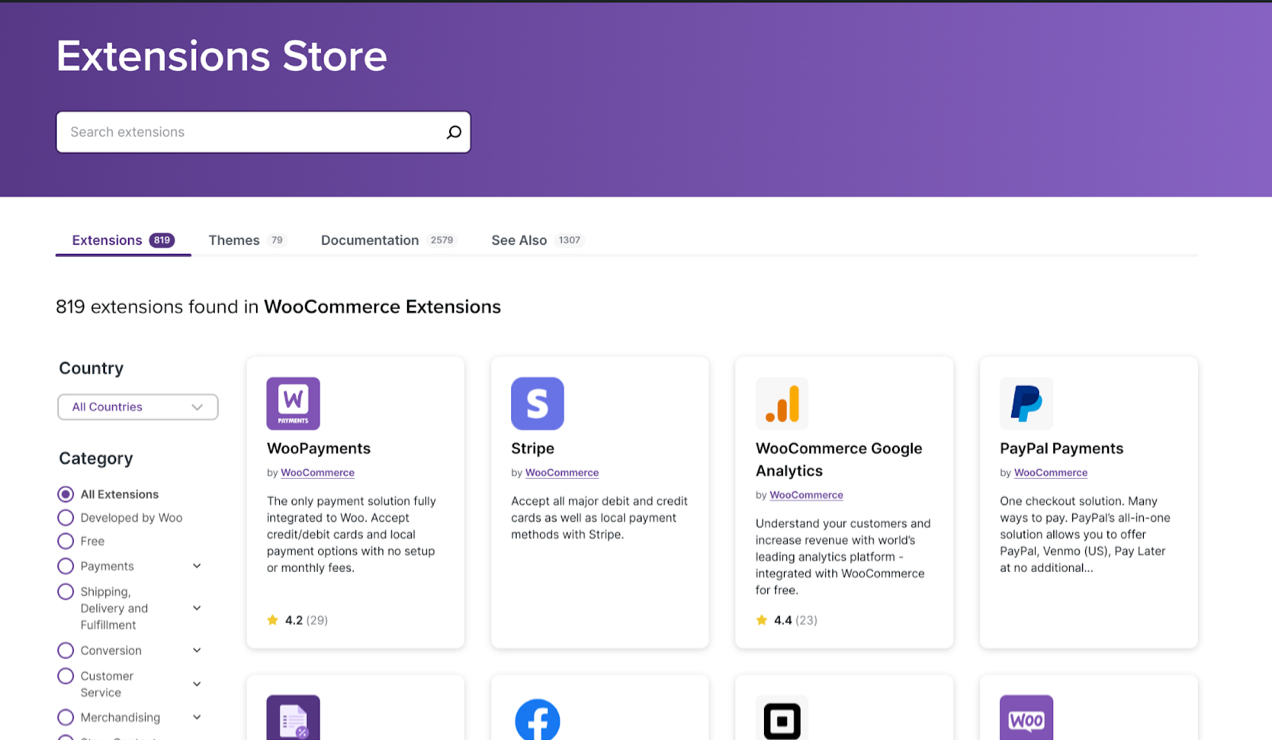
Once your WooCommerce store is built, you’ll need to consider the basic operational costs required to keep it up and running. Thankfully, WooCommerce itself offers a lot of free and premium tools called extensions. WooCommerce extensions allow you to add functionality for store management and security, and to enhance things like checkout, product pages, payment gateways, shipping, and more.
Customer communications is one ongoing cost you’ll need to consider. Email marketing allows you to reach out to customers to encourage repeat purchases, recover abandoned carts, or thank them for orders. WooCommerce integrates with a variety of email marketing tools, like MailPoet (free, with paid plans starting at $10/mo) and AutomateWoo ($119/yr).
With seamless WooCommerce integration, you can sync customers and products, encourage upsells, and track everything from email opens to conversions. See all available email marketing extensions for WooCommerce.
Security is non-negotiable. WordPress and WooCommerce are both strong, stable platforms. However, they’re not impenetrable (nothing is) and outside software additions like themes and plugins can introduce vulnerabilities. While choosing a strong host and carefully vetting plugins and themes can go a long way, you should consider extra tools to prevent costly issues.
There are a variety of WordPress security plugins available, and they vary widely in cost. One great all-in-one option is Jetpack Security. It’s chock-full of features designed just for WordPress sites, including:
- Real-time backups that save a copy of your site each time an action takes place
- Automated malware and vulnerability scanning
- Brute force attack protection
- A detailed activity log
- Anti-spam tools
- A website firewall
The full security package is $19.95/mo billed annually, but you can also purchase individual tools, like Jetpack VaultPress Backup, for $9.95/mo each.
It’s also important to factor an SSL certificate into the costs of running an ecommerce site. SSL certificates encrypt sensitive information, like credit card data, between a customer’s browser and your server.
It’s critical for online stores and a hosting provider typically includes a free, basic SSL certificate. Learn more about SSL certificates for ecommerce.
Communications: Free to $119 per year, depending on the tool used
Security: Free to $239 per year, depending on the tool used
SSL certificate: Typically free
Additional spending: customer experience enhancement
If your budget allows you to do more with your website, the next area of focus should be enhancements that boost the customer experience and drive conversions. There are both free and premium WooCommerce extensions available that allow you to:
- Add product page features. Offer add-ons like gift wrapping, set up a waitlist, or let customers name their own price.
- Enhance the Cart or Checkout page. Add last-minute upsells, edit checkout fields, or allow shoppers to log in using social media.
- Make your store your own. Create beautiful pop-ups, showcase products in a slideshow, or turn your store into an online catalog.
- Customize navigation and search. Add advanced filters, create table views, or assign brands to each product.
- Market your products. Connect to social media, set up Google shopping ads, or follow up with customers.
It’s possible to “overdo it” with WooCommerce by adding too many bells and whistles. Using too many unnecessary extensions might slow down your website, and even the smallest of delays could cost you a sale.
Ultimately, WooCommerce pricing and the amount you spend on your site is up to you! You have full control over budgeting and prioritizing the needs of your website and business.
What about hiring a developer?
You can typically hire developers at an hourly rate to assist with elements of your site that are outside of your expertise. WooCommerce developer fees will range dramatically from $10 to $100+ per hour.
Or, you can hire a developer to design and build your entire site from scratch. This can also vary, but might cost anywhere from $1,000 to $20,000.
WooCommerce provides a list of hand-selected, high-quality experts. These vetted individuals and agencies know both WordPress and WooCommerce extremely well and can get you up and running efficiently.
Customize your store; customize your budget
As an open source ecommerce platform, WooCommerce is all about flexibility. And the ability to customize WooCommerce extends beyond creating a unique look and functionality — it also includes the costs associated with developing and running a store.
So how much does WooCommerce cost? If you’re on a tight budget, it’s possible to create a fully-functioning WooCommerce store for the cost of a domain name and hosting plan (as low as $135 per year). Well-funded or established stores could spend thousands or more.
But remember that the power is completely in your hands. Build a WooCommerce store with all the bells and whistles from the beginning, or get started with the essentials and expand as your business grows.
Ready to go? Get started with WooCommerce.

Thnx For This Detailed guide. For long time, i am planning to start Online Store 🙂 I think waiting for guide like this 😀
That’s great! Good luck with it. Also take a look at https://woocommerce.com/guides/new-store/ 😀
I’m a fan of woo, but this post makes me really excited to just go with shopify for $29/mo. This post reminds me that the most useful customizations of woo will cost me yearly $ for the extensions. Most of which are $80/year like if I want color swatches as my product variation selectors or a FedEx shipping calculator. Long term, it seems much easier to go to someone who bundles all those features in a monthly cost.
Sure, but it’s monthly additions for Shopify sites that have anything non-standard that will get you. Plus if you don’t have good negotiated rates on processing you still need to cut the cake with Shopify for processing.
These prices are a bit outrageous, honestly. I would never be able to spend that much to start a site, as I’m on a limited budget as it is. My breakdown-
Hosting- $5 a month.
Domain- $9 year
SSL Certificate- $0 (Hosting includes this)
Theme- $0 (Storefront)
Shopping- $0 (WooCommerce)
Add-ons- $199 lifetime. (Elementor Pro)
Customization for colors, theme, site, checkout, etc- $170.
I really didn’t need to spend so much for customization, either. I had paid someone to do it for $70, not realizing they would be using WPBakery, which I hate. But they’d already done the work and it looked amazing, so I didn’t feel right asking for a refund.
I contacted my host, explained the panic-inducing situation, and he and a designer that works with him on his site customization items hand-coded the theme how I wanted so it could be used with Elementor. They asked only for a donation, knowing how upset I was, so I sent $100 because they truly saved my sanity and that’s the highest I could afford.
Grand total to start- $383.
Ongoing costs monthly- Around $6.
This isn’t including your products, of course, but since I’m an author and sell signed books, I just grab 10 to stock up on whenever I have a bit of spare cash at the end of the month. For my jewelry store, I’ve ran it since I was 15, and have stockpiled beads and things all these years. I’m 34 now. So I have a massive storage collection of findings, beads, chains, etc that didn’t incur any extra costs during this.
All of my sites so far fit on the same $5 server, which saves money. Once they get bigger storage-wise, the next server size is $19 a month, which is still cheaper than Weebly to host so many sites, and by then, the Ecommerce portions of the site should be able to basically pay for themselves, so I will end up with a net profit instead of a loss.
If you seriously can’t spend that much on an entire eCommerce store, you should not run a store at all.
It sounds like you managed to find a solution that worked for your business and budget, which is great, Mandi. Thanks for sharing your thoughts 🙂
Gotta think a host who sells hosting for $5 and does custom themes for $100 won’t be in business long.
Does he also sell steaks out of the back of his pickup truck?
There is no better E-commerce platform than Woocommmerce.
Nice post.
Agree, “WooCommerce costs is that it really is flexible, and up to you.” Since the article is about cost to RUN a Woocommerce/eCommerce store, I think about the fact that part of the cost is how far do you want to go. Advertising your site has a lot to do with that. Perhaps a post on the subject of ‘Cost of Advertising Your eCommerce Website for Sucess…’ This is what many of my clents don’t plan for.
I’m about to start working on a client’s Ecommerce site and I need a plugin for WordPress/Woocommerce that allows wholesale clients to login and see the wholesale prices for items. The entire site is for wholesalers only, no retail buyers.